


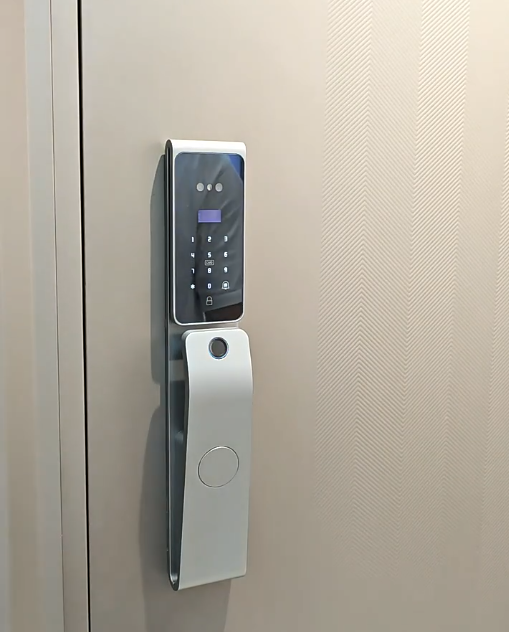
How long does a lock really last between charges? Smart door lock battery life is a top question for buyers, because nobody wants constant recharging or the risk of a lockout. The reassuring reality is that modern locks last many months per charge, warn you well in advance, and include backups so a flat battery never shuts you out. This guide sets out what to really expect from smart door lock battery life, what affects it, and how to get the most from every charge. See long-life models on our smart door lock range.
Once the numbers are clear, the common fear of a dead lock gives way to simple, occasional upkeep.

Typical battery life ranges
Smart door lock battery life varies by design and use, but the table below gives realistic expectations for the main battery types you’ll encounter.
| Battery type | Typical life | Recharge/replace | Running cost |
|---|---|---|---|
| Disposable AA cells | 3–8 months | Buy and swap cells | Ongoing |
| Small rechargeable pack | 4–8 months | Recharge by USB | Low |
| Large rechargeable lithium (Covlor 4000–5000 mAh) | ~6–10 months | Recharge by USB | Very low |
What affects battery life
Several factors shape how long a charge lasts. The number of daily entries matters most, since the motor is the biggest power draw — a busy family door drains faster than a quiet one. Constant Wi-Fi use consumes more than offline operation. Cold weather can temporarily reduce capacity. Failed fingerprint reads and a misaligned bolt that makes the motor strain also waste power. Understanding these helps you get the longest life from your lock.
Rechargeable lithium vs disposable cells
Battery type shapes both life and convenience. Disposable AA cells must be bought and swapped several times a year — ongoing cost and waste. A rechargeable lithium battery is simply recharged with a cable and reused for years, like a phone. Covlor locks run on a rechargeable lithium battery — 4000 mAh and 5000 mAh packs with simple USB-port charging — which lasts roughly 6 to 10 months per charge. For most buyers, rechargeable lithium is the better choice: longer practical life, lower running cost, and recharging with a power bank you already own.
How the motor affects battery life
The motor is the single biggest power draw, running every time the door opens. An efficient, well-built motor uses less energy per cycle and lasts longer. Covlor’s all-metal gear motor is both durable and efficient, helping stretch battery life while outlasting plastic-geared motors by roughly twice. A straining or worn motor drains batteries faster — another reason build quality directly affects running costs and battery life.
Low-battery warnings
You should never be surprised by a dead smart lock. Quality locks warn you through an on-device indicator or voice prompt, an app notification on connected models, and sometimes a change in motor sound. These warnings typically give days or weeks of notice, so you can recharge or replace at your convenience. Acting on the first warning means you’re never caught out — the key habit for stress-free battery life.
What happens when the battery runs out
Even if you miss every warning, a well-designed lock keeps you covered. Covlor locks offer emergency USB-C power — touch a power bank to the lock to open it — plus a concealed mechanical key as a final fallback. So a flat battery is an inconvenience at worst, never a lockout. This safety net is why experienced users don’t worry about battery life at all.
How to maximise battery life
To get the most from each charge: keep the fingerprint sensor clean so reads succeed first time; ensure the door and bolt align cleanly so the motor isn’t straining; use sensible connectivity settings on Wi-Fi models; and recharge fully rather than in tiny bursts. These simple habits can add weeks between charges, making an already-long battery life even longer — and they reflect good general lock care too.
Myths about smart lock batteries
A few persistent myths exaggerate battery worries. “They die without warning” — in fact quality locks give days or weeks of alerts before power runs low. “A power cut locks you out” — no; the lock runs on its own battery, independent of mains power. “You’re constantly changing batteries” — with a rechargeable lithium lock you top up only a couple of times a year. “A flat battery means you’re stuck outside” — emergency USB-C power and a mechanical key prevent that entirely. Once you set these myths against how a well-designed lock actually behaves, battery life stops being a reason for hesitation and becomes simply one more thing the lock quietly handles for you.
Battery life and overall quality
Good battery life signals thoughtful engineering — an efficient motor, a capable battery, smart power management and clear warnings working together. A lock that drains fast or warns too late usually reflects corners cut elsewhere. When comparing locks, treat battery life and how power is handled as a window into overall quality. Covlor’s lineup — the CR-L108, CR-L99, CR-L88 and CR-L51 — offers face and palm recognition, fingerprint, PIN, card and app control, multi-bolt bodies driven by an all-metal gear motor, wide 40–120 mm door-thickness support and emergency USB-C power. Compare models in our best smart door lock guide.
Battery life for different households
Real battery life depends on your home. A busy family front door, opened dozens of times a day with Wi-Fi alerts active, sits at the shorter end of the range — yet Covlor’s rechargeable lithium packs still comfortably last many months between charges. A quieter home, or an internal or office door used less often, reaches the longer end, approaching a year. Offline operation without constant Wi-Fi stretches life further still. Whatever your usage, you’re measuring battery life in months, not weeks, and the lock tells you well before it’s time to recharge — so the figure that matters is not a single number but a comfortable range you can plan around.
Planning a simple charging routine
The easiest way to never think about battery life is a light routine. Pick a predictable moment — say, when the lock first warns you, or a regular seasonal check — and recharge then. Keep a small power bank near the door so topping up is effortless and doubles as your emergency opener. Because Covlor locks charge over a standard USB port, you can use chargers and power banks you already own. With this tiny bit of planning, recharging becomes a two-minute task you do once or twice a year, and the fear of a dead lock disappears entirely — replaced by the quiet confidence of a system you understand and control.
The bottom line
Smart door lock battery life is far less of a concern than many buyers expect. A quality lock lasts months per charge — roughly 6 to 10 months for Covlor’s rechargeable lithium packs — warns you well in advance, and includes emergency power and a mechanical key so a flat battery never means a lockout. Choose a lock with an efficient motor, a capable rechargeable battery and clear warnings, and battery life becomes a minor, occasional detail rather than a worry you carry around.
Frequently asked questions
How long does smart door lock battery life last?
Typically several months to a year. Covlor’s rechargeable lithium packs — 4000 mAh and 5000 mAh — last roughly 6 to 10 months per charge in normal use, with clear warnings well before power runs low, so you recharge just a couple of times a year.
What drains a smart lock battery fastest?
The number of daily entries (the motor is the biggest draw), constant Wi-Fi use, cold weather, failed fingerprint reads and a misaligned bolt that makes the motor strain. Keeping the sensor clean and the bolt aligned noticeably helps battery life.
Is rechargeable lithium better than AA batteries?
For most buyers, yes. A rechargeable lithium battery is recharged with a cable and reused for years — longer practical life, lower running cost and less waste — rather than buying and swapping disposable cells several times a year. You can top up with a power bank you own.
Will the lock warn me before the battery dies?
Yes. Quality locks give days’ or weeks’ notice through an on-device indicator or voice prompt and an app notification on connected models. Acting on the first warning means you’re never caught out, with emergency power and a mechanical key as further backups.
Does cold weather reduce battery life?
Very cold conditions can temporarily reduce how much charge a lithium battery delivers, so you may recharge a little sooner in a cold spell. Mounted on a door, the lock is partly shielded by indoor warmth, so the effect is usually modest and reverses as it warms.
Explore the range: see current models, features and prices on the Covlor smart door locks shop, or message us on WhatsApp +91 8860055551 for help choosing the right lock for your door.

