


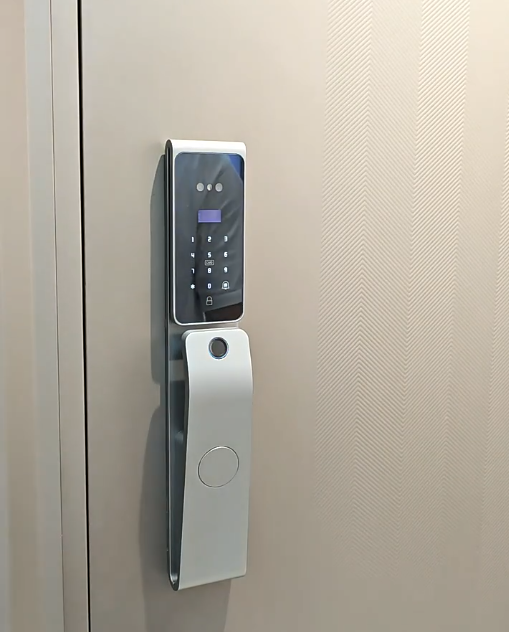
A smart door lock app turns your phone into a remote control, key manager and security dashboard for your front door. From anywhere, you can unlock for a visitor, issue a guest code, check who came and went, and get an alert the moment the door opens. This guide explains what a smart door lock app does, how the popular Tuya and Smart Life apps work with Covlor locks, and how to set it all up. You can see app-enabled models on our smart door lock range.
The app is where a connected lock becomes genuinely powerful — so it’s worth understanding what it can do.

What a smart door lock app does
A smart door lock app connects to your lock over Wi-Fi or Bluetooth and puts its features in your pocket. Typically you can unlock and lock remotely, create and revoke PINs and digital keys, view a timestamped access log, receive real-time alerts, manage multiple family members or staff, and check battery status. In short, the app replaces the drawer full of keys and the guesswork of who has access with simple, remote control from your phone.
Covlor and the Tuya / Smart Life apps
Covlor locks work with the widely used Tuya and Smart Life apps — two of the most established smart-home platforms, built on the same ecosystem. This means you manage your Covlor lock in a mature, regularly updated app that also connects with a huge range of other smart-home devices. Using a proven platform like Tuya/Smart Life gives you reliability and a familiar interface, rather than a one-off app that may be poorly maintained.
Remote unlocking and access
One of the most useful app features is remote unlocking. If a trusted visitor or delivery arrives while you’re out, you can open the door from the app wherever you are. You can also pre-share a digital key or one-time code. For a busy household or anyone who travels, this turns “I’m not home” from a problem into a non-issue. Our Wi-Fi smart lock guide explains the connectivity behind remote features.
Managing codes and users
The app makes managing access effortless. Issue a permanent code to a family member, a scheduled code to a maid that works only during her hours, or a one-time code to a courier. When someone no longer needs access, revoke it instantly — no changing locks or collecting keys. On the Tuya/Smart Life platform, each user and code is listed clearly, so you always know exactly who can enter and when.
Alerts and access logs
With the app, you’re never in the dark about your door. Real-time alerts tell you the moment the lock is opened — useful for knowing your children arrived home safely. A timestamped access log shows who entered and when, by which method. This visibility, impossible with a traditional key, adds a quiet layer of security and reassurance that many app users come to rely on daily.
Smart door lock app features at a glance
The table below summarises what a good smart door lock app lets you do, using the Tuya and Smart Life platforms that Covlor locks support.
| Feature | What it does | Why it’s useful |
|---|---|---|
| Remote unlock | Open the lock from anywhere | Let in visitors or deliveries while you’re out |
| Guest & OTP codes | Create and revoke temporary codes | Give maids, couriers and guests time-limited access |
| Access log | Timestamped record of entries | Know who came and went, and when |
| Real-time alerts | Notifies you on each open | Confirm the kids got home safely |
| User management | Add or remove people instantly | No re-keying when someone leaves |
| Battery status | Shows remaining charge | Recharge before power runs low |
Smart-home integration
Because Tuya and Smart Life are full smart-home platforms, your Covlor lock can work alongside other devices. You can build simple automations — for example, lights or scenes linked to your smart-home routine — and manage everything from one app. This integration means the lock isn’t an island; it’s part of a connected home you control from a single, familiar interface, which is a real advantage of using an established platform.
Setting up the app
Getting started is simple: download Tuya or Smart Life from your phone’s app store, create an account, and follow the in-app steps to add your Covlor lock — usually by connecting it to your home Wi-Fi and pairing it. Then enrol users, set up codes, and enable the alerts you want. The process takes a few minutes, after which your lock is fully under app control. Keep the app updated for the latest features and security.
Keeping the app secure
Because the app controls your door, protect it sensibly: use a strong, unique password on your Tuya/Smart Life account, enable two-factor authentication if offered, and keep both the app and the lock’s firmware updated. Covlor locks process biometrics on the device rather than in the cloud, so your fingerprint and face data stay local even as the app handles remote control. These simple habits keep app convenience safe.
What if the internet goes down?
A common worry is losing access if your Wi-Fi drops. In practice, the lock’s local methods — fingerprint, PIN, card and the mechanical key — keep working regardless of the internet; only the remote app features pause until connection returns. So the app adds capability without becoming a single point of failure. You always have reliable local ways in, with the app as a powerful extra rather than a dependency.
Why Covlor uses an established platform
It’s worth understanding why building on Tuya and Smart Life benefits you as the owner. A brand could write its own small app, but these are often under-resourced, slow to fix bugs, and quick to become outdated. Tuya and Smart Life, by contrast, are mature platforms used by millions of devices worldwide, with frequent updates, strong reliability and broad device compatibility. By supporting them, Covlor gives you an app that keeps improving, works with a vast smart-home ecosystem, and has a familiar interface many people already know. In practice this means fewer glitches, better long-term support, and the freedom to connect your lock into a wider connected home rather than being stuck with a single-purpose app that may be abandoned.
Getting the most from the app day to day
A little setup makes the app far more useful. Enable the notifications that matter to you — an alert each time the door opens, or only for certain users — so you stay informed without being overwhelmed. Save a one-time-code option for couriers and a scheduled code for regular help, so you’re ready when they arrive. Name each user and code clearly so the access log is easy to read. Check battery status occasionally so you recharge before a warning. These small habits turn the app from a feature you set up once into a genuinely helpful everyday tool for running a secure, convenient home.
The bottom line
A smart door lock app transforms a lock into a remote control and security dashboard — letting you unlock from anywhere, manage codes and users, and see every entry. Covlor locks use the proven Tuya and Smart Life platforms, giving you a mature, regularly updated app that also ties into a wider smart home. Set it up in minutes, secure your account sensibly, and you gain powerful control over your door while keeping reliable local access whatever the internet does. See app-enabled models on our smart door lock shop.
Frequently asked questions
What does a smart door lock app do?
It connects to your lock over Wi-Fi or Bluetooth so you can unlock remotely, create and revoke PINs and digital keys, view a timestamped access log, get real-time alerts, manage users and check battery status — all from your phone, replacing physical keys with remote control.
Which app do Covlor smart locks use?
Covlor locks work with the widely used Tuya and Smart Life apps — two established smart-home platforms built on the same ecosystem. This gives you a mature, regularly updated app that also connects with a huge range of other smart-home devices.
Can I unlock my door from the app when I’m away?
Yes, on a Wi-Fi-connected lock. If a trusted visitor or delivery arrives while you’re out, you can open the door from the app wherever you are, or pre-share a digital key or one-time code. You also get alerts and an access log.
What happens to the app if my internet goes down?
The lock’s local methods — fingerprint, PIN, card and mechanical key — keep working regardless of the internet; only the remote app features pause until the connection returns. So you always have reliable local access, with the app as a powerful extra.
Explore the range: see current models, features and prices on the Covlor smart door locks shop, or message us on WhatsApp +91 8860055551 for help choosing the right lock for your door.

