


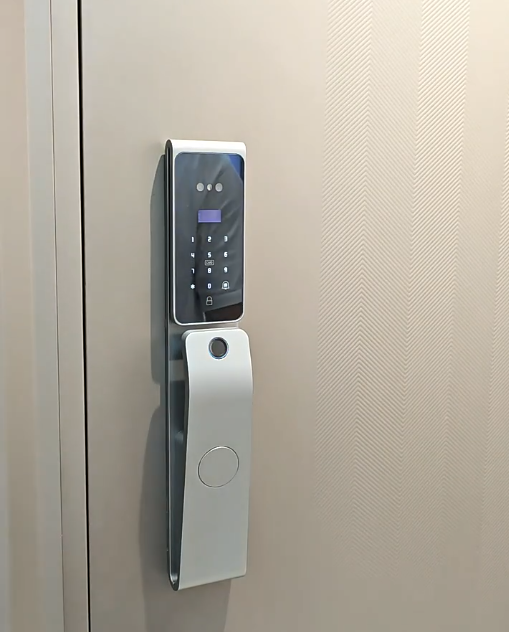
Smart door lock battery replacement is one of the few maintenance tasks a smart lock ever needs — and with the right lock, it’s refreshingly simple. Many people worry about being locked out by a dead battery, but modern locks warn you well in advance and make swapping or recharging the battery quick and painless. This guide explains when and how to handle smart door lock battery replacement, and why a rechargeable lithium battery makes the whole issue almost disappear.
Understanding how your lock’s battery works turns a common worry into a non-issue you barely think about.

How smart lock batteries work
A smart door lock runs on its own battery, completely independent of your home’s mains power — so a power cut never affects it. Older or cheaper locks use disposable AA batteries you replace periodically. Better locks use a rechargeable lithium battery you simply recharge, like a phone. Either way, the lock monitors its charge and warns you long before it runs low, so replacement or recharging happens on your schedule, not at an awkward moment.
| Battery type | Typical life | Replace / recharge |
|---|---|---|
| Disposable AA cells | 3–8 months | Buy and swap cells |
| Small rechargeable pack | 4–8 months | Recharge by USB |
| Large rechargeable lithium (Covlor 4000–5000 mAh) | ~6–10 months | Recharge by USB |
Rechargeable lithium vs disposable batteries
This is the biggest difference between locks. Disposable AA batteries mean buying and swapping cells several times a year — ongoing cost and waste. A rechargeable lithium battery, by contrast, is recharged with a cable and reused for years. Covlor locks run on a rechargeable lithium battery — 4000 mAh and 5000 mAh packs with simple USB-port charging — which lasts roughly 6 to 10 months per charge. That means battery “replacement” usually just means plugging in a cable for a while — no shopping for cells, no waste, and far less to think about.
How long before you need to recharge
With Covlor’s rechargeable lithium packs, you can expect roughly 6 to 10 months between charges, depending on how often the lock is used and whether power-hungry features like Wi-Fi are active. A busy family door drains faster than a quiet one. Because the lock warns you early, you’ll always have days of notice before it matters — plenty of time to recharge at your convenience.
Signs it’s time to recharge or replace
Your lock will tell you when power is low. Watch for an on-device low-battery indicator or voice prompt, a notification in the app on connected models, and a change in the sound or speed of the motor. When you see or hear these, recharge (for lithium locks) or replace the cells (for AA locks) within a few days. Never ignore repeated warnings — acting promptly keeps you from ever being caught out.
How to recharge a lithium smart lock
Recharging a lithium smart lock is simple: connect the supplied USB cable to the lock’s charging port and to any phone charger or power bank, and let it charge. Many locks let you keep using them while charging. Once full, disconnect and you’re set for months. Because the port is standard USB, you can top up with chargers and power banks you already own — no special equipment needed.
How to replace AA batteries (on locks that use them)
If your lock uses disposable cells, replacement is still easy: open the battery compartment (usually on the interior panel), remove the old cells, and insert fresh ones of the correct type, matching the polarity markings. Use good-quality batteries for longer life, and replace the full set together rather than mixing old and new. The lock retains your fingerprints and settings through a battery change.
What if the battery dies completely?
Quality smart locks ensure a flat battery never locks you out. Covlor locks offer emergency USB-C power — touch a power bank to the lock to power it just long enough to open — plus a concealed mechanical key as the ultimate backup. So even in the rare event you miss every warning, you have two independent ways in. This safety net is why battery anxiety is misplaced with a well-designed lock.
Tips to extend battery life
A few habits stretch the time between charges. Keep the fingerprint sensor clean so reads succeed first time (failed attempts waste power). On connected locks, sensible Wi-Fi settings reduce drain. Avoid leaving the lock in a state that keeps the motor working, and ensure the door and bolt align cleanly so the motor isn’t straining. Small things, but together they add weeks to each charge.
Why battery design reflects lock quality
How a lock handles power says a lot about its quality. A well-engineered lock pairs an efficient motor with a capable rechargeable battery and clear warnings, so battery replacement is rare and easy. Covlor’s efficient all-metal gear motor and rechargeable lithium packs are designed to minimise how often you think about power at all. Covlor’s lineup — the CR-L108, CR-L99, CR-L88 and CR-L51 — offers face and palm recognition, fingerprint, PIN, card and app control, multi-bolt bodies driven by an all-metal gear motor, wide 40–120 mm door-thickness support and emergency USB-C power. Compare models in our best smart door lock in India guide.
How often you’ll actually do it
For many people, the phrase “battery replacement” conjures up a frequent chore — but with a modern rechargeable lock it’s rare. Covlor’s lithium packs last roughly 6 to 10 months per charge, so you’re looking at recharging perhaps once or twice a year, not every few weeks. And because recharging simply means plugging in a USB cable overnight, it’s less a replacement than a quick top-up. Households that used older AA-battery locks are often surprised by how little thought a rechargeable lithium lock demands. Over a year, the total time you spend on battery care adds up to a few minutes.
Does weather or season affect the battery?
Lithium batteries are sensitive to temperature, and very cold conditions can temporarily reduce how much charge a battery delivers — something worth knowing if you live somewhere with cold winters. In practice, a smart lock mounted on a door is partly shielded by the home’s interior warmth, so the effect is usually modest. If you notice the interval between charges shortening in a cold spell, it’s normal and reverses as temperatures rise. The lock’s early warnings still give you ample notice, so seasonal variation never catches you out — you simply recharge a little sooner during the coldest weeks and return to the usual rhythm afterwards.
Keeping a charged backup handy
A simple habit removes any lingering worry: keep a small power bank near your door. Because Covlor locks accept emergency USB-C power and charge over USB, a power bank doubles as both your recharging tool and your emergency opener if you ever let the battery run flat. Charge the power bank occasionally and you have a complete safety net that costs almost nothing. Combined with the concealed mechanical key, this means two independent fallbacks are always within reach — which is why seasoned smart-lock owners simply don’t think about being locked out.
The bottom line
Smart door lock battery replacement is far simpler than most people fear — especially with a rechargeable lithium lock that you top up with a USB cable a couple of times a year and that warns you days in advance. With emergency power and a mechanical key as backups, a dead battery never means a lockout. Choose a lock with an efficient motor, a capable rechargeable battery and clear low-power warnings, and battery maintenance becomes a tiny, occasional task rather than a worry.
Frequently asked questions
How often do you need smart door lock battery replacement?
With a rechargeable lithium lock like Covlor’s — using 4000 mAh and 5000 mAh packs — you typically recharge every 6 to 10 months, depending on use. Locks that use disposable AA cells may need replacing several times a year. The lock warns you well before power runs low.
How do I recharge a smart door lock battery?
Connect the supplied USB cable to the lock’s charging port and to any phone charger or power bank, and let it charge; many locks stay usable while charging. Because the port is standard USB, you can top up with chargers you already own.
What happens if my smart lock battery dies completely?
Quality locks ensure you’re never locked out. Covlor locks offer emergency USB-C power — touch a power bank to open the lock — plus a concealed mechanical key as a final backup. You also get days of low-battery warnings beforehand.
Will I lose my fingerprints when I change the battery?
No. A smart lock retains your enrolled fingerprints, faces, codes and settings through a battery change or recharge, so you don’t need to set anything up again afterwards.
Explore the range: see current models, features and prices on the Covlor smart door locks shop, or message us on WhatsApp +91 8860055551 for help choosing the right lock for your door.

