


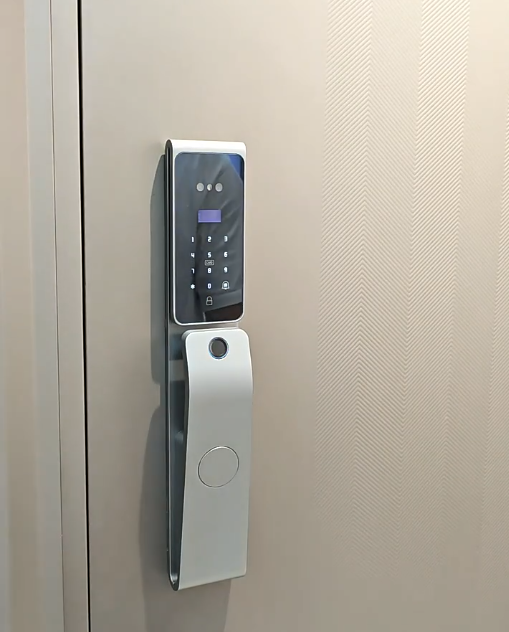
A smart door lock app turns your phone into a key, a logbook and a control panel for your front door. Instead of only touching a sensor at the door, a good smart door lock lets you grant access, read who came and went, and even open the door from anywhere — all from one screen.

This guide explains exactly what a smart door lock app does, how the popular Tuya and Smart Life apps fit in, and where Covlor’s own app sits, so you know what to expect before you buy.
| Feature | What it does | Needs internet? |
|---|---|---|
| Remote unlock | Open the door from anywhere | Yes (Wi-Fi/gateway) |
| Temporary passwords | Time-limited PINs for guests | No to create, sync via app |
| Access log | See who entered and when | Syncs when online |
| Notifications | Alerts on unlock or tamper | Yes |
| Share access | Send a digital key to family | Yes |
What a smart door lock app actually is
A smart door lock app is the companion software that pairs with your lock over Bluetooth and, where supported, Wi-Fi. At the door the lock works on its own — fingerprint, face, PIN or card — but the app adds the management layer: enrolling users, issuing codes, reading logs and handling remote features. Think of the lock as the muscle and the app as the memory and the remote control that sit behind it.
Crucially, the sensitive part of a good lock — your biometric templates — stays on the lock’s own chip, not in the app or a server. The smart door lock app manages access and settings; it does not hold your fingerprint. That division is what keeps the convenience of an app from becoming a privacy problem.
Remote unlock and monitoring
The headline feature of a smart door lock app is remote control. With a Wi-Fi connection or a small gateway, you can lock or unlock the door from the office, from another city, or from bed, and you can check at a glance whether the door is currently locked.
Alongside control comes monitoring. The app can push a notification each time the door opens, so you know when the children are home or when a delivery has been taken, and it can warn you about tampering or a low battery long before either becomes a problem. The door stops being a blind spot and becomes something you can actually see.
Temporary passwords and guest access
A smart door lock app makes temporary access effortless. You can create a PIN that works only for a set window — a weekend for a guest, Tuesday mornings for a cleaner, a one-hour slot for a delivery — and it expires on its own. You can also revoke any code instantly if plans change.
This is the feature households fall in love with, because it replaces the risky habit of handing out a spare key that could be copied. For an overview of the hardware behind it, our guide to the digital door lock covers the entry methods these codes sit alongside.
Access logs you can trust
Every unlock can be recorded, so the app keeps a timeline of who opened the door and when. Over time this quiet record becomes genuinely useful — confirming a visit happened, noticing an unusual entry, or simply reassuring you that the day went as expected.
Because the log is tied to individual credentials, each line points to a real person or code rather than an anonymous “someone with a key”. That accountability is something a traditional lock could never offer, and it is one of the strongest everyday reasons to use a smart door lock app at all.
Tuya and Smart Life: the common apps
Many smart locks are built on the Tuya platform, and they pair with one of two closely related apps: Tuya Smart or Smart Life. Both are made by the same company and offer the same core features, so a “powered by Tuya” lock typically works with either, letting you manage the lock in the same app as your other smart-home devices.
These apps are a sensible default for a general-purpose setup, and they integrate with voice assistants and other devices. If you want the deeper detail, our dedicated guides to the Tuya and Smart Life apps walk through setup step by step.
Covlor’s own app for Covlor lock owners
Covlor provides its own companion app, built specifically for owners of Covlor smart door locks. It is tuned to Covlor hardware and features rather than being a general catch-all, which means a cleaner, more focused experience for Covlor customers.
It is worth being clear about one point: the Covlor app is for Covlor lock owners, not a public app for any lock. If you own a Covlor lock you get an app designed around it; if you are a brand or distributor who wants your own branded app, Covlor can develop a custom one — a topic we cover separately.
Security habits for app-controlled locks
A smart door lock app is only as safe as the account behind it. Use a strong, unique password, turn on two-factor authentication if it is offered, keep the app and the lock’s firmware updated, and give each family member their own login rather than sharing one.
Review the list of people and devices with access from time to time, and revoke anything no longer needed. These habits take minutes and ensure that the only people who can reach your door through the app are the ones you actually trust. Pair them with a lock that keeps biometrics on-device, like those in our biometric door lock guide, and the whole system stays tight.
Do you need the app at all?
Not every household will use every feature, and that is fine. If you only ever unlock the door while standing at it, the lock’s biometrics and PIN are enough and the app is optional. The app earns its place when you want remote access, guest codes, logs and alerts.
The good news is that a capable lock lets you grow into these features over time: start with fingerprint and PIN, and switch on the smart door lock app’s remote powers whenever your life calls for them. You never pay a convenience cost for features you are not ready to use.
Works on the phone you already carry
A smart door lock app runs on ordinary iOS and Android phones, so there is no special device to buy or carry. Everyone in the household installs it on their own phone, signs in to the shared lock, and manages access from wherever they are.
Many apps also add home-screen widgets and quick actions, so locking the door or creating a guest code is a single tap away without digging through menus. That everyday convenience — the door in your pocket, on the device you already use for everything else — is a quiet reason the smart door lock app has become the normal way to live with a modern lock.
Covlor smart door locks to pair with the app
Every Covlor lock is built to work smoothly with its companion app. If you are shortlisting a lock to go with a smart door lock app, these models show the range:

Covlor CR-L108
Flagship 3D face + palm + fingerprint, all-metal multi-bolt body, USB-C emergency power


Related guides
- Top Wi-Fi door locks that pair with an app
- Biometric door locks with on-device security
- Smart locks — background (Wikipedia)
Frequently asked questions
What is a smart door lock app used for?
A smart door lock app lets you manage your lock from your phone — remote unlocking, creating temporary passwords for guests, reading an access log of who entered and when, receiving notifications, and sharing access. Biometrics stay on the lock itself; the app handles management and remote features.
Does a smart door lock app work without internet?
Local features like fingerprint, PIN and Bluetooth setup work without internet. Remote unlocking, live notifications and sharing need a Wi-Fi connection or gateway, so they pause if the internet is down while the lock itself keeps working normally.
Which app do most smart locks use?
Many locks are built on the Tuya platform and pair with the Tuya Smart or Smart Life app, which share the same features. Some brands, including Covlor, also provide their own companion app for their own locks.
Is it safe to control my door from an app?
Yes, when you protect the account with a strong, unique password and two-factor authentication, keep firmware updated, and choose a lock that stores biometrics on-device. The main risk is a weak app password, so treat it like your banking app.
A smart door lock app is what turns a keyless lock into a connected one: remote unlock, temporary codes, a clear access log, alerts and easy sharing, all from your phone. Choose between the general Tuya and Smart Life apps or a brand app like Covlor’s, protect the account behind it, and you gain real control over your front door without ever giving up the solid, local reliability a good lock already provides.
